Text messages
Last updated: November 6, 2026
This page explains the Greenlight Date text messaging program and what you agree to when you opt in.
1. About the program
Greenlight Date is a dating service. The Greenlight Date text messaging program sends date reminders and offer alerts to members who choose to receive them, and one-time verification codes when a member asks for one. The program name is Greenlight Date.
Greenlight Date sends no recurring text without an opt in, and sends a one-time verification code only when a member asks for one. Greenlight Date does not text friends.
Greenlight Date does not text friends. A member who shares a date sends the share link from their own phone, and Greenlight Date sends the friend no confirmation, no reminder and no safety update.
Greenlight Date is for adults. You must be 18 or older to use Greenlight Date or to opt in to texts.
2. Message types
- Date reminders: A reminder before a date you have confirmed on Greenlight Date, sent to the member who opted in.
- Offer alerts: A text when you receive a date offer, or when someone accepts or counters your offer, sent to the member who opted in.
- Verification codes: A one-time code to confirm the US mobile number you enter or change in Settings under Phone number. A verification code text contains the code, how long it lasts, the line "Never share this code." and STOP wording. You get one code per request, at most 5 a day per number. It is sent only because you asked for it, and you are never opted in to date reminders, offer alerts or any other text type by asking for a code.
3. Frequency, rates, and how to stop
Message frequency varies for recurring texts, and you only get the types you choose. Verification codes are one code per request, at most 5 a day per number.
Greenlight Date sends no safety alerts to friends, at any hour. Member texts come only for the types you choose.
Message and data rates may apply.
Reply STOP to opt out at any time. Reply HELP for help.
For help, contact us at support@greenlightdate.com or reply HELP to any text.
4. Your choice and your data
Consent is not a condition of using Greenlight Date. You can use Greenlight Date fully without agreeing to receive texts.
We will not share or sell texting opt in data or consent with third parties for their marketing or promotional purposes. To deliver a text, a number goes to our texting platform and the phone carriers, and we tell anyone the law requires us to tell.
Read our Terms of Service and our Privacy Policy.
5. How to opt in
You are never opted in by saving a phone number or by signing up. To turn on member texts, add your US mobile number in Settings under Phone number and save it. Then, in Settings under Text messages, tick the unchecked box for date reminders, offer alerts, or both. We confirm the number with a one-time code before your first text. If you are not signed in, the form on this page records the same choice for your number. Sign in.
Members can also opt in from Settings:
- Create a Greenlight Date account, or sign in to yours.
- Open Settings, then Phone number, and add your US mobile number.
- Open Settings, then Text messages.
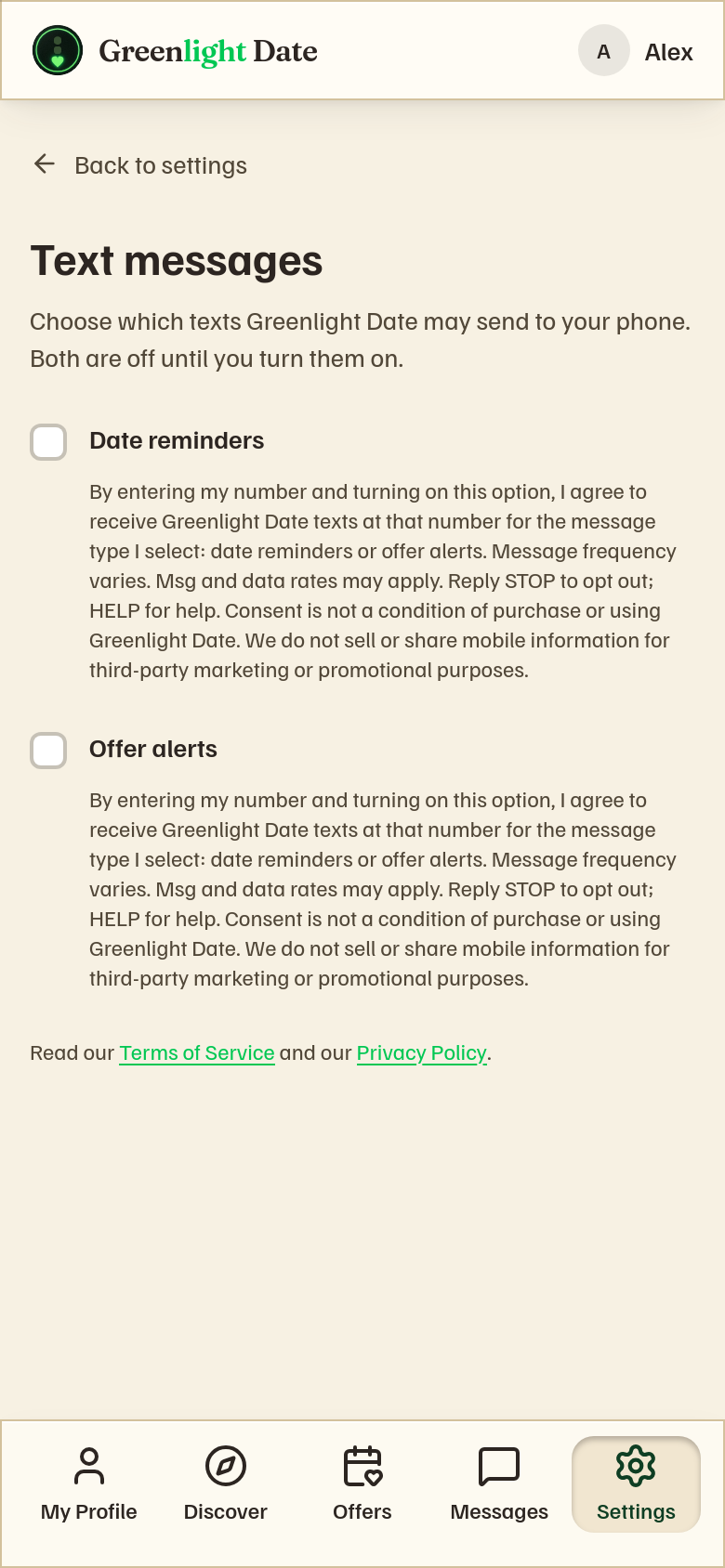
- Tick the boxes for the texts you want.
This is the text beside each box, here and in Settings:
By entering my number and turning on this option, I agree to receive Greenlight Date texts at that number for the message type I select: date reminders or offer alerts. Message frequency varies. Message and data rates may apply. Reply STOP to opt out; HELP for help. Consent is not a condition of purchase or using Greenlight Date. We do not sell or share mobile information for third-party marketing or promotional purposes.
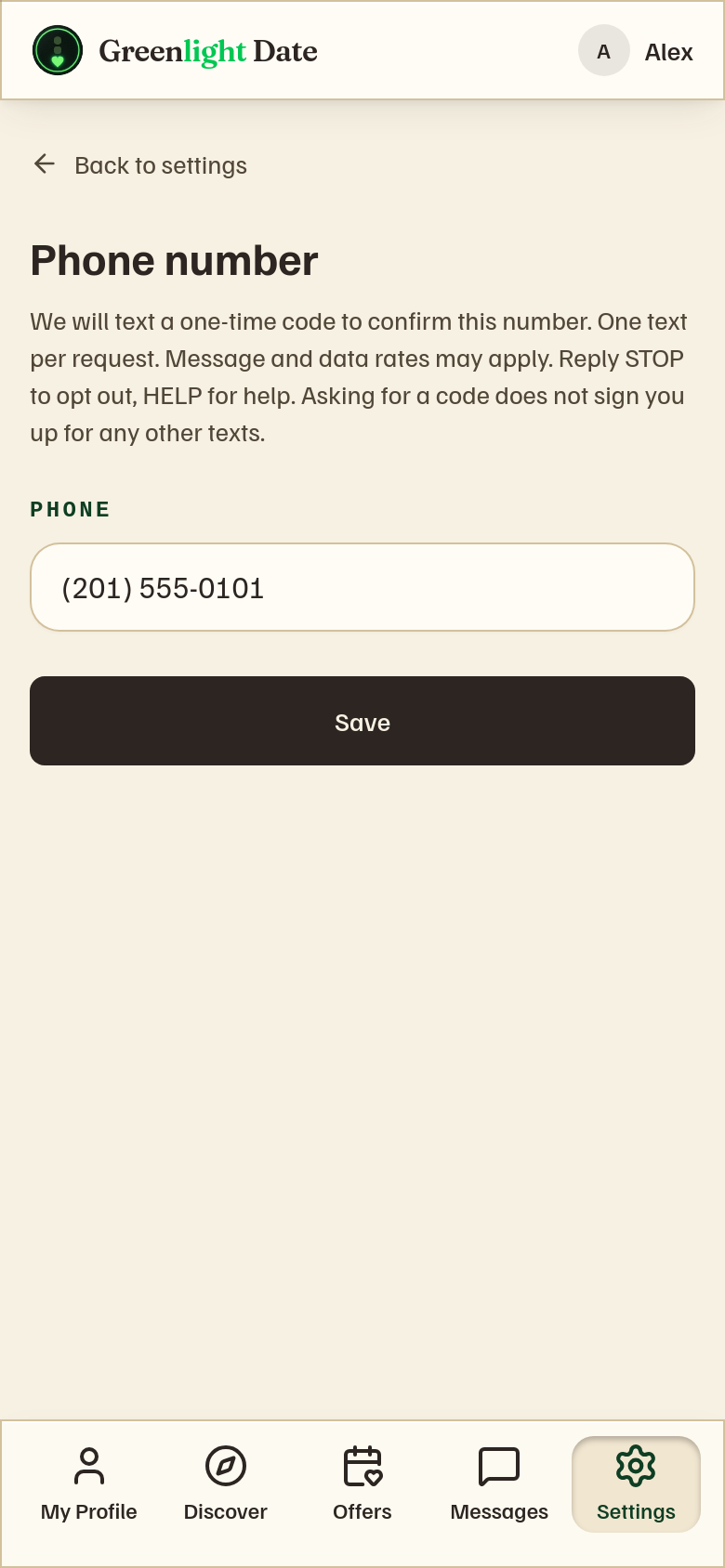
Notice shown in Settings, Phone number, when you save your number:
We will text a one-time code to confirm this number. One text per request. Message and data rates may apply. Reply STOP to opt out, HELP for help. Asking for a code does not sign you up for any other texts.
Consent wording version: sms-consent-2026-11-10-v7
6. See the opt-in screens
These are the screens a member uses in Settings to opt in.